Solutions
Redesigns
Measure the site before a redesign, catch what breaks at launch, and know what the new design did to revenue.
Before: a baseline you can trust
The Pre-Redesign Revenue Baseline Auditor documents which pages, templates and elements carry your conversions today, and flags the ten pages that drive the most revenue and must be protected or deliberately replaced. The baseline is kept in Chronicle with its date, so there is something to compare with after the launch.
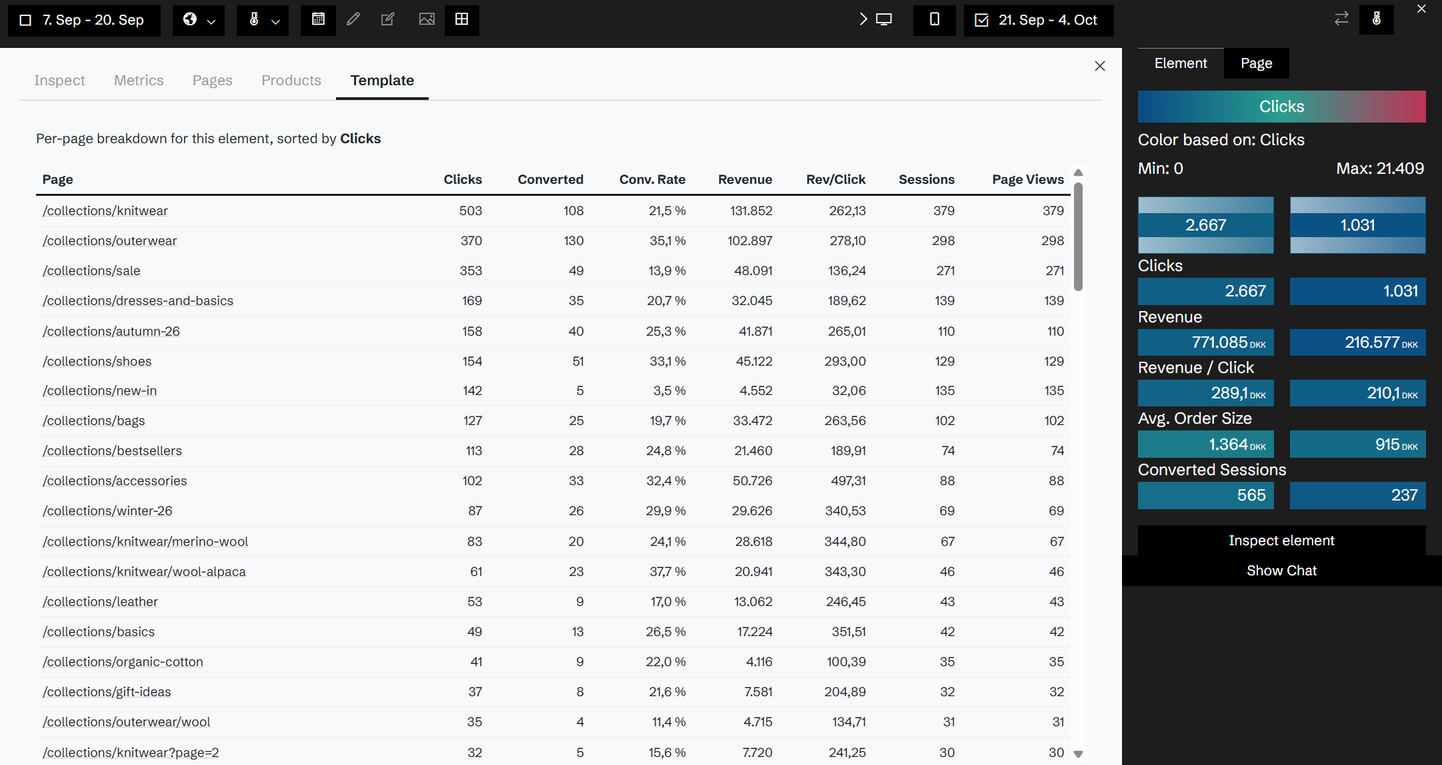
Launch: regressions caught in days, not months
In the first days after launch, the Redesign Launch Regression Detector compares the new site with the baseline. It separates normal launch noise from real regressions and ranks them by revenue at stake, so the team knows what to fix first.
After: the verdict
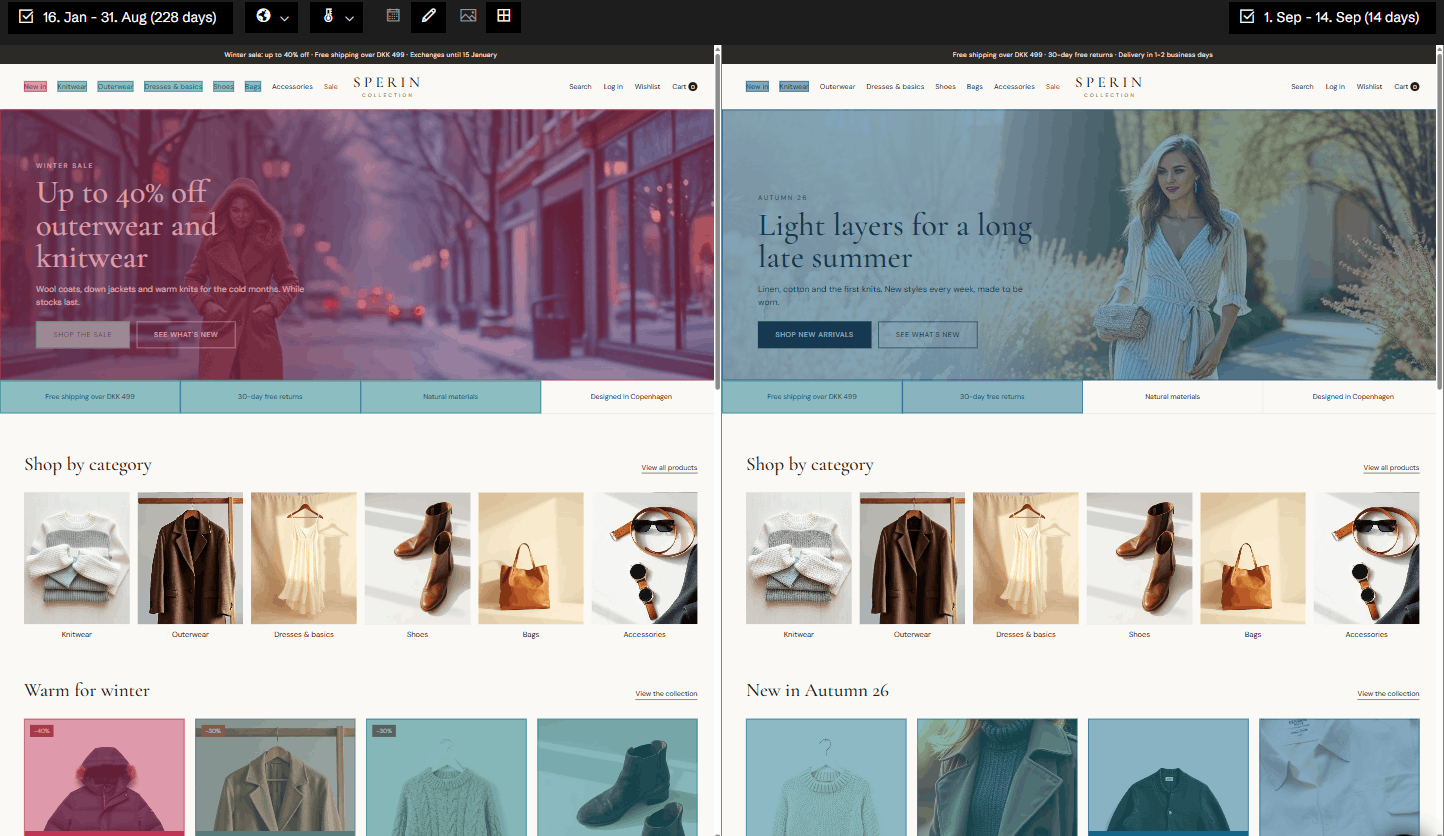
After 14 days, the Template Challenger Scorecard puts every new template next to the one it replaced: revenue per session, engagement with the elements, and mobile against desktop. After 90 days, the Redesign Impact Retrospective gives the net revenue impact, adjusted for season, and the lessons for next time.
Because every version of the old site is still in Chronicle, you can always go back and see what it looked like.
Related agents
All agents →Pre-Redesign Revenue Baseline Auditor
Audits revenue baselines to protect conversion metrics during redesigns
Redesign Launch Regression Detector
Identifies and quantifies revenue regressions after site redesign launches
Template Challenger Scorecard
Evaluates redesign template performance versus legacy baselines
Redesign Impact Retrospective
Analyzes redesign performance to determine net revenue impact
Related features
All features →Chronicle Capture
Every day Historian captures your site as your visitors saw it: the page, its screenshot and every element on it, kept as a record you can go back to.
Version comparison
Put two periods or two versions of a page side by side, each with its own heatmap and its own numbers.
Template heatmaps
Add up the same element across every page built from one template, and see where it works and where it doesn't.
History and change detection
See your site exactly as it looked on any day since Historian started capturing it, with that day's numbers and the events around it.
Stop guessing why revenue dropped.
Book a demo and we'll show you what Historian finds on your own store.