Insights
Every finding from your agents as an insight, with its confidence, its estimated revenue impact and the evidence behind it.
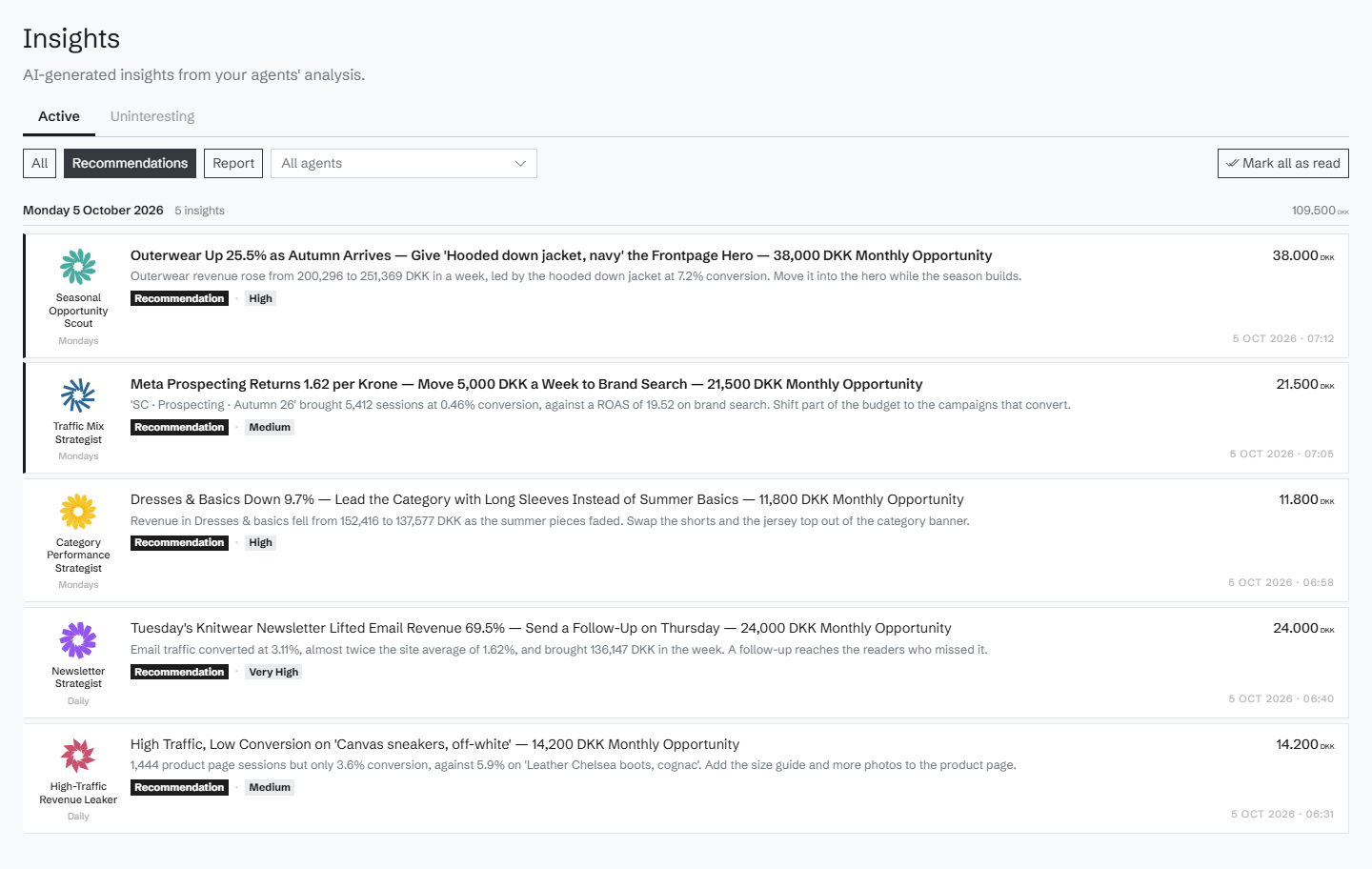
One card per finding
Each insight shows the agent that found it, a title and a summary, its type (a recommendation or a report), its confidence (high, medium or low) and its estimated revenue impact in your currency. Filter by type or by agent; insights judged not interesting are kept apart, under Uninteresting.
The evidence behind it
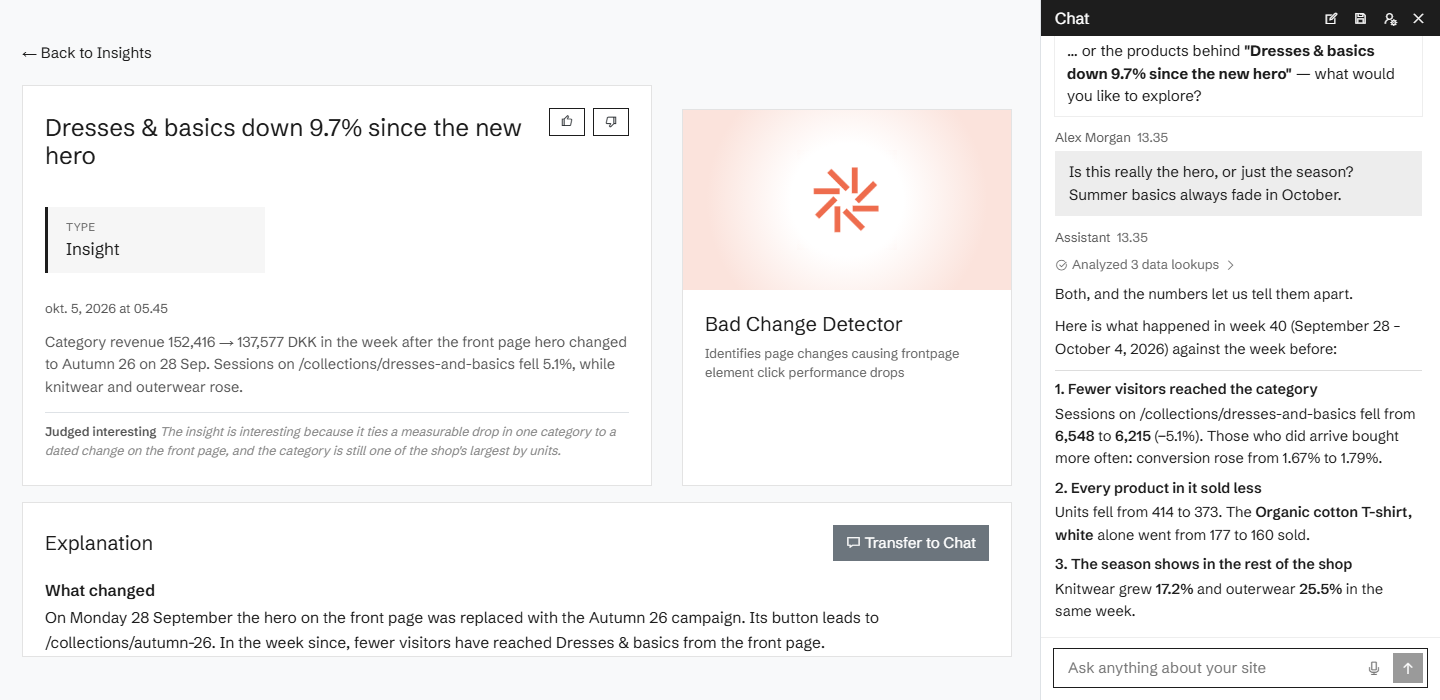
Open an insight for the full explanation, with charts, and links straight into the products, tags, pages, traffic sources, devices and ads it is about, or to the page in the heatmap. Its confidence comes with a score and a breakdown of how the insight was evaluated, question by question.
Ask, and push back
Take any insight into the chat and question it. Ask whether it really holds, what would happen if you did something else, or ask one of the suggested follow-up questions. The chat answers from the same data the agent used.
Waiting for you on the home screen
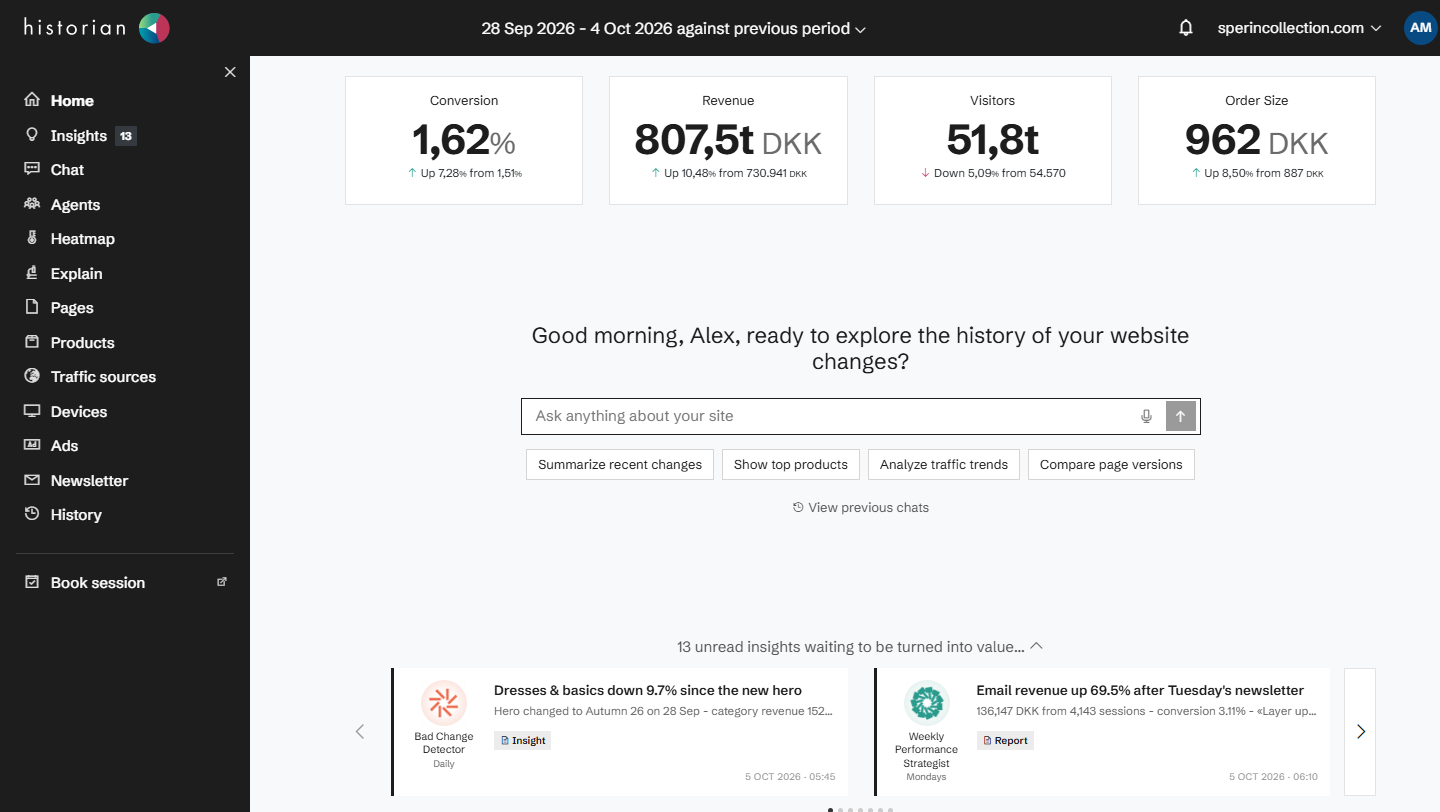
Unread insights wait on the home screen next to your key numbers, and every insight can be rated helpful or not helpful.
Related agents
All agents →Related features
All features →AI agents
Agents that watch your site's data on a schedule and bring you insights: pick them from the catalog, or describe your own.
Chat
Ask anything about your site in plain language, and get answers from your own data, with charts and the pages behind them.
Weekly summary
Once switched on for your site, one email every Monday morning with how your site did last week and the insights your agents found.
Stop guessing why revenue dropped.
Book a demo and we'll show you what Historian finds on your own store.