Integration
Google Ads
See what changes in your Google Ads campaigns, and whether it works on your site.
A daily snapshot of the account
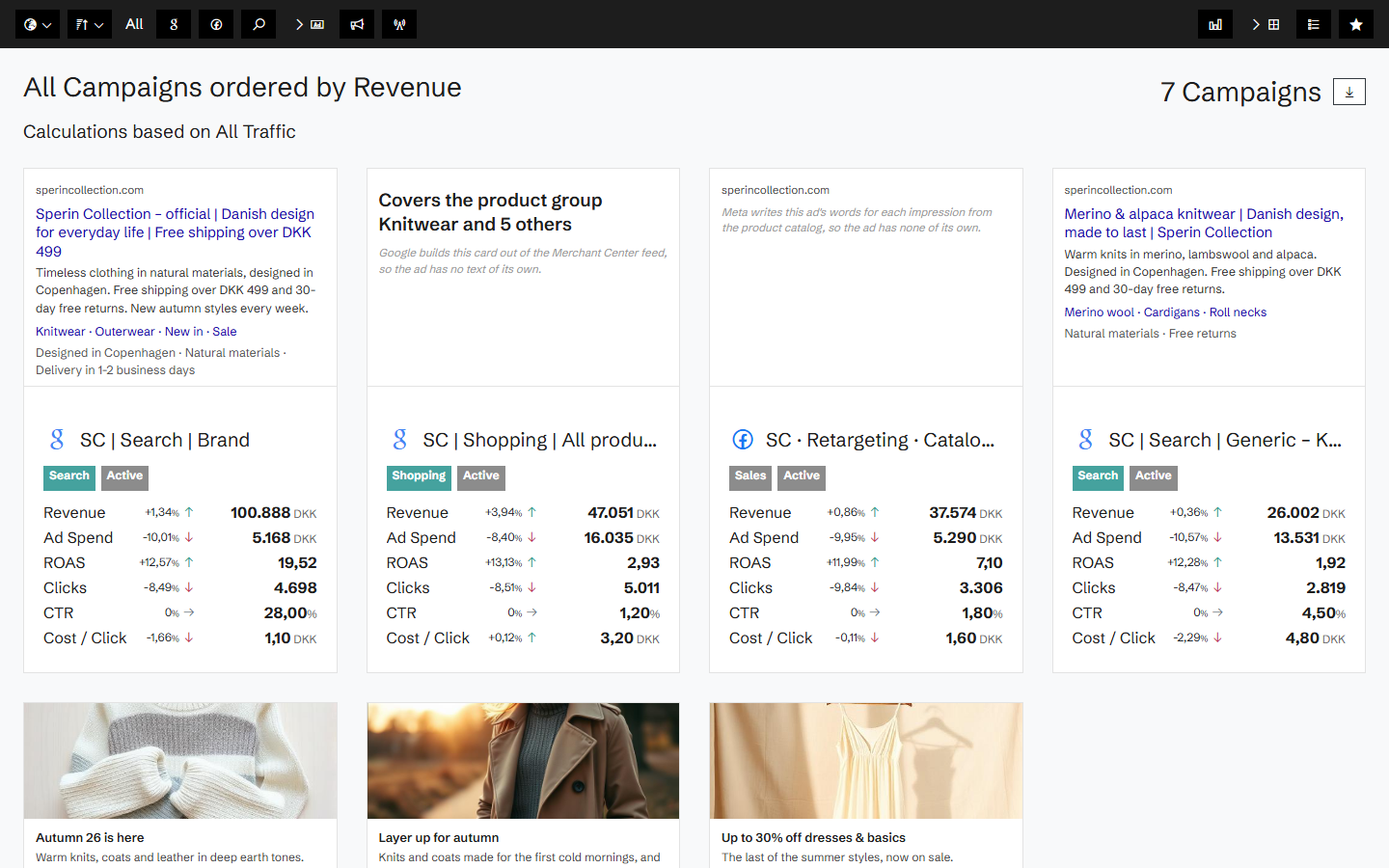
Once connected, Historian takes a snapshot of your Google Ads account every day: campaigns, ad groups, ads, keywords, asset groups and assets, with impressions, clicks, cost, conversions and conversion value per day.
Two snapshots side by side show what changed: a paused campaign, a new ad, a changed budget or keyword.
The change, and what happened on the site
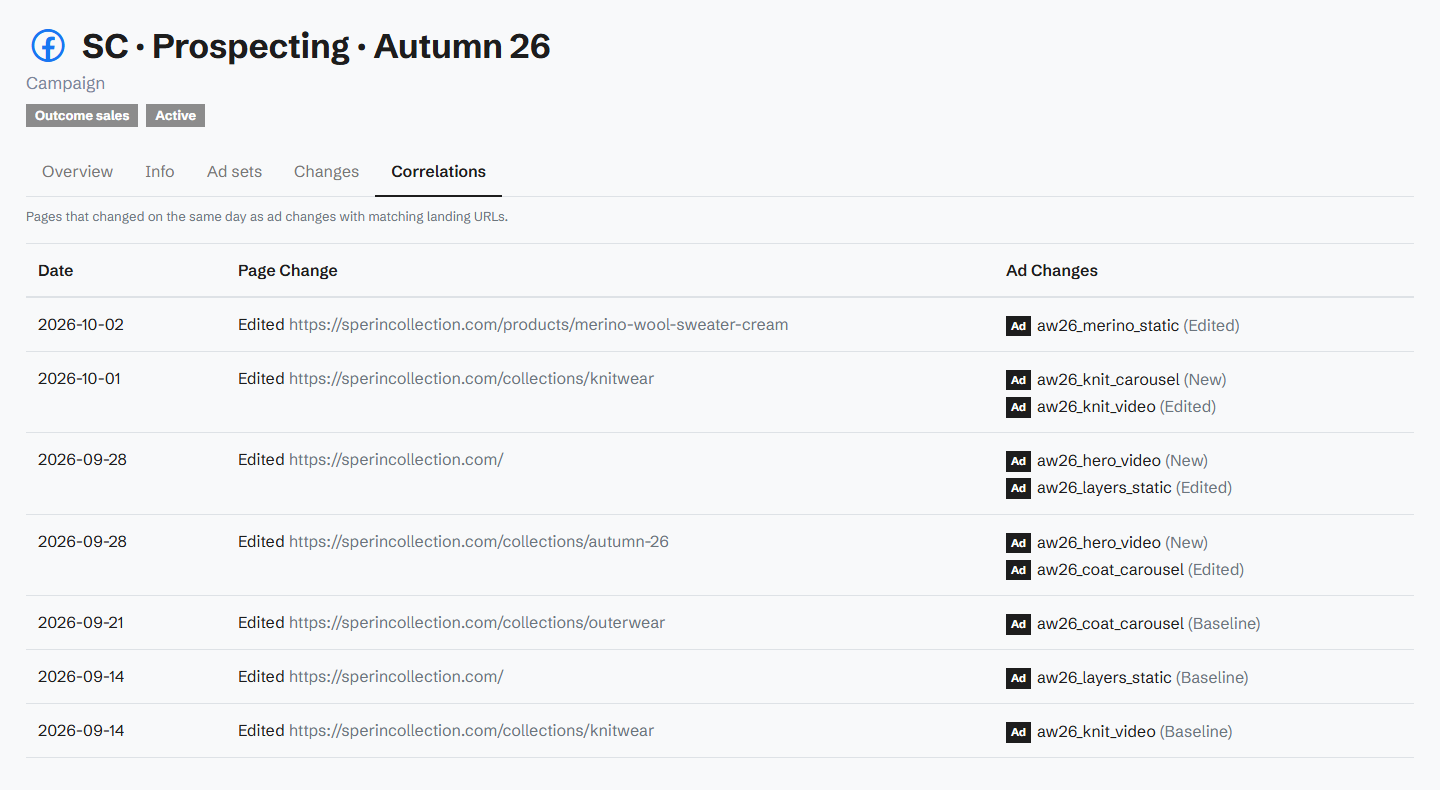
Every campaign and ad group has its changes on a timeline, next to what happened on the site. Historian matches ad changes with changes to the landing page on the same day, so you can tell whether a drop came from the ad account or from the page.
Connected with your Google login
You connect Google Ads with Google's own sign-in and pick the customer account.
Related agents
All agents →Ads Agency Report
Monthly account statement of what changed on the ad account, whether it moved the numbers, and what we cannot see.
Traffic Mix Strategist
Diagnoses over-reliance on any single channel and recommends diversification
Landing Page Revenue Gap Agent
Benchmarks every landing page and surfaces the ones dragging down entry conversion
Related features
All features →Ads
Your ad campaigns next to what happened on your site: spend, ROAS on your own revenue, and every change made to the campaigns.
Google Ads
Your Google Ads campaigns, ad groups, ads and keywords in Historian, measured against the revenue your site actually took.
Ad change tracking
A record of every change made to your campaigns, ad groups, ads and keywords, set against the changes on your site.
Traffic Sources
See which channels actually make money, not just which ones send traffic.
Stop guessing why revenue dropped.
Book a demo and we'll show you what Historian finds on your own store.