Traffic Sources
See which channels actually make money, not just which ones send traffic.
Where revenue comes from
Our lightweight tracking script records where every visit came from (organic search, direct, Google Ads, paid and organic social, newsletter and email, SMS and more) and ties it to conversion and revenue. Most analytics tools tell you where visitors come from. We tell you where revenue comes from.
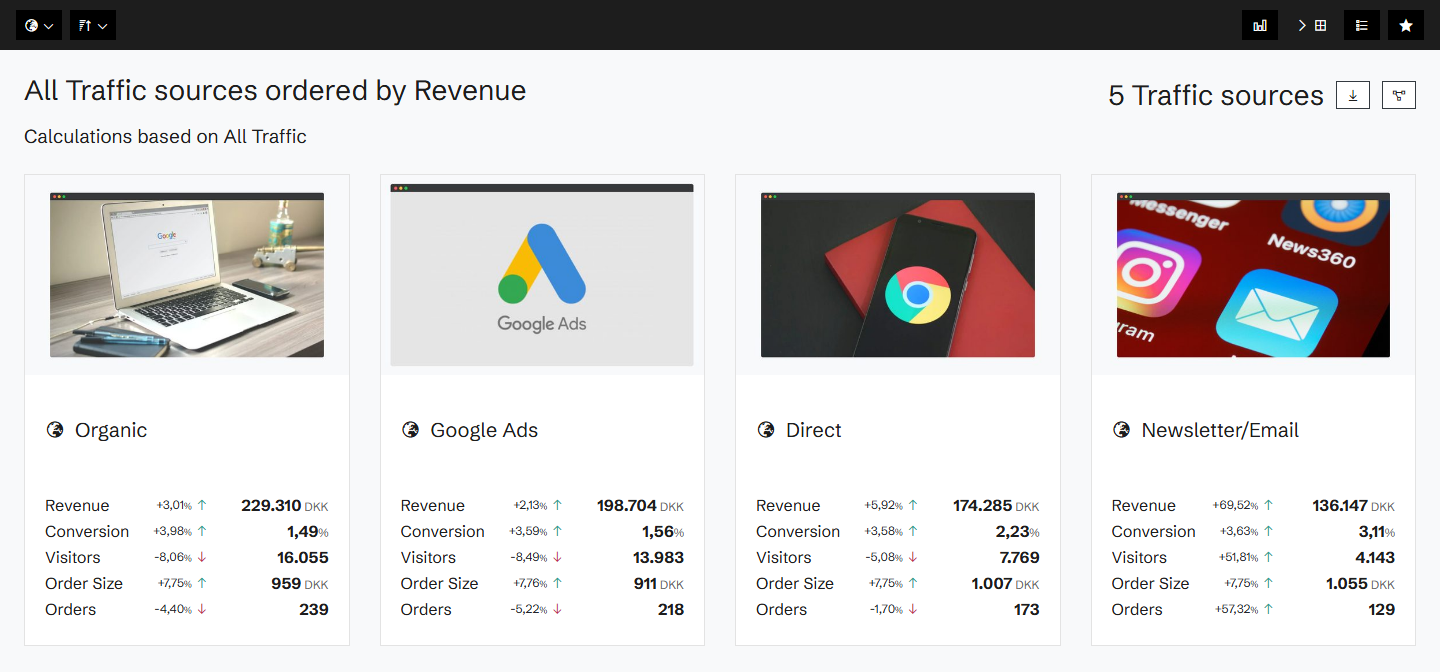
Every channel against its benchmark
For each channel: revenue, sessions, revenue per session, order size, orders, conversion and converted sessions, each against a benchmark period. Sort by any of them, by change, or by opportunity.
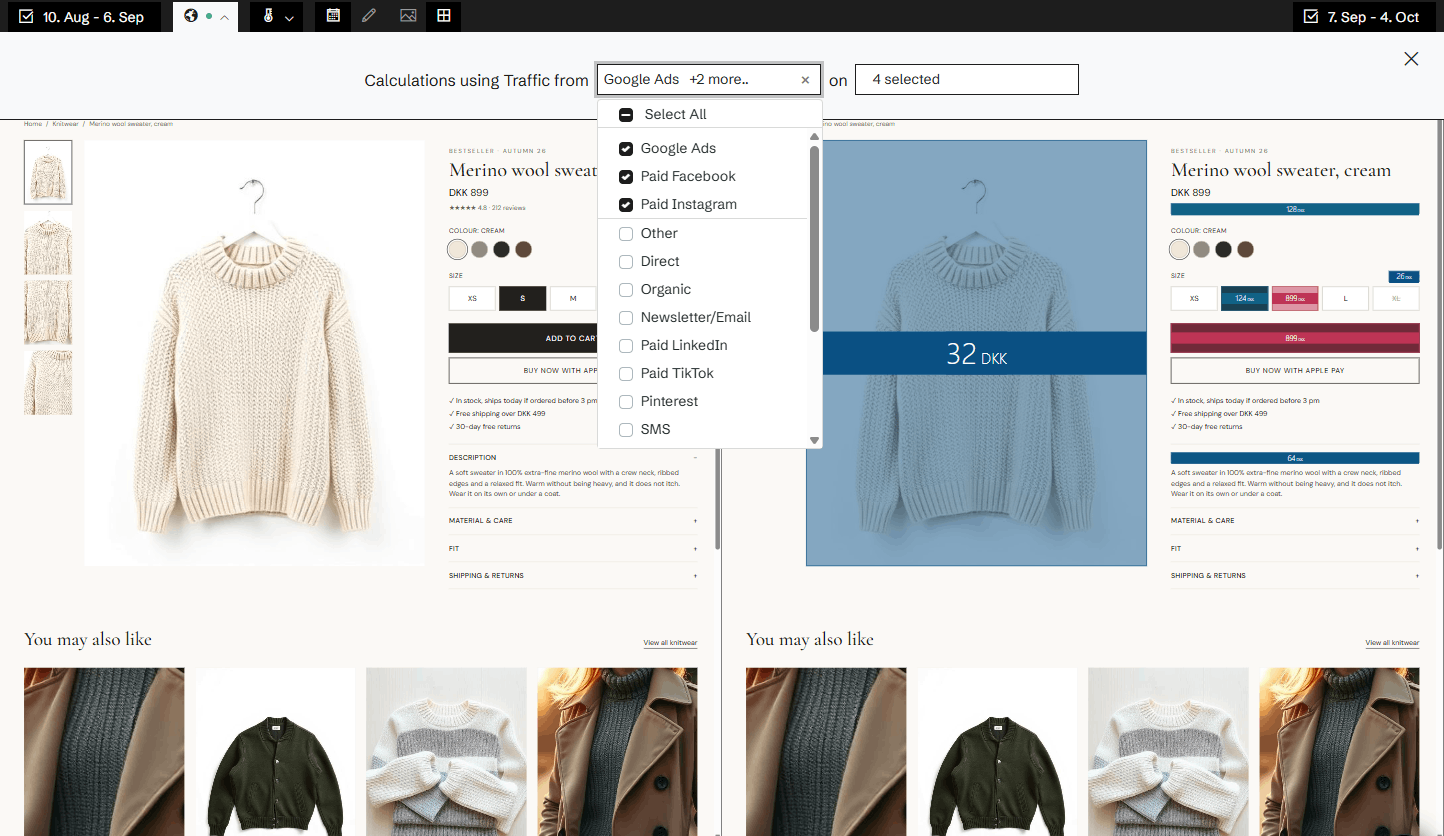
One channel, everywhere
Any number in Historian can be limited to chosen traffic sources: the pages, the products, the funnels and the heatmaps. See how your Google Ads visitors use a product page, compared with your newsletter readers.
Related agents
All agents →Traffic Mix Strategist
Diagnoses over-reliance on any single channel and recommends diversification
Organic Traffic Revenue Maximizer
Closes the conversion gap between organic landing pages and paid equivalents
Landing Page Revenue Gap Agent
Benchmarks every landing page and surfaces the ones dragging down entry conversion
Related features
All features →Traffic segments
Filter the heatmap by where the visitors came from, and see how each channel uses the page.
Ads
Your ad campaigns next to what happened on your site: spend, ROAS on your own revenue, and every change made to the campaigns.
Devices
Desktop, mobile and tablet side by side: revenue, conversion and order size for each, against a benchmark.
Explain
When a number moves, Explain breaks the movement down by products, traffic sources and devices, so you see what drove it.
Stop guessing why revenue dropped.
Book a demo and we'll show you what Historian finds on your own store.