MCP server · for Claude
Claude already powers your e-commerce.
Give it a memory.
Claude can reason about your store better than most agencies. It just can't see what happened yesterday. Historian records your site and your market, every single day, and hands that record to Claude when you ask.
- Outerwear conversion is down and nobody can tell me why. Figure it out.
- get_site_stats { siteConfigId: 12, fromDate: "2026-10-08", toDate: "2026-10-21", compareWithPreviousPeriod: true }
- get_page_changes { siteConfigId: 12, pageEditLineId: 4127, fromDate: "2026-10-08" }
- compare_pages { siteConfigId: 12, beforePageEditPointId: 88412, afterPageEditPointId: 88957 }
Something changed on the page itself. On Thursday 15 Oct at 14:03 the collection banner reverted to the previous campaign, so the page your newsletter sends people to no longer matches the offer they clicked. Conversion has run at 1.7% since, against 2.4% before. Nothing in traffic or spend explains it.
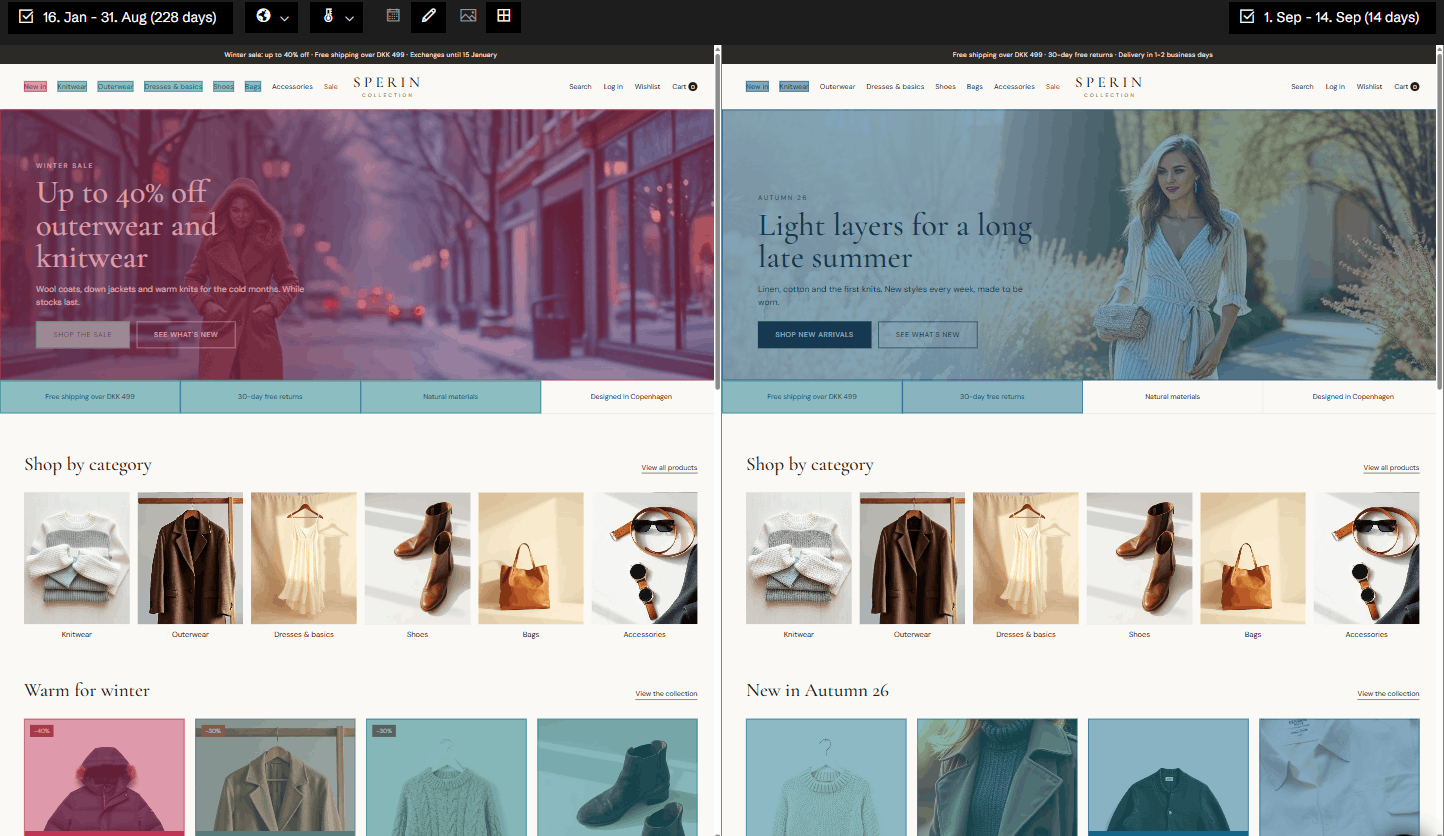
- The page before and after the change, side by side
- Click heatmap on the page as it looked that week
- Est. impact ≈ 11,000 kr. a day at current traffic
- Good. Draft the fix brief for the web team and tell Klaviyo to hold Friday's send.
- shopify · klaviyo acting on Historian's finding
Trusted by leading e-tailers


















A model with a gap doesn't stop. It fills it.
You've seen how good Claude is when it has the right context, and how confidently wrong it gets when it doesn't. Analytics can tell it that a number moved. Nothing in your stack can tell it what the page, the campaign and the competitor looked like on the day it moved. So Claude infers. Same question, with and without a memory:
Without Historian
"Why is outerwear conversion down?"
"Traffic is down 18% week over week. This is consistent with a seasonal slowdown in outerwear. Consider a promotional discount to stimulate demand."
Fluent, plausible, and it would have cost you a margin point for nothing.
With Historian
"Why is outerwear conversion down?"
"The banner reverted during Thursday's deploy, and the newsletter traffic has been landing on a mismatched offer ever since. Seasonality explains almost none of it. Restore the banner first."
Same model. Same prompt. It just had something to look at.
We save the page. Not a picture of it.
Every day, Historian captures the full DOM of your pages, and of the competitors you name. Fonts, menus, nested content, the lot. That's why Claude can answer "what changed" down to the element, instead of guessing from a screenshot diff.
Every capture is queryable by date. Ask about the 15th and you get the 15th.
Your site, versioned daily
Full page state, not screenshots. Changes dated to the capture, whether or not anyone wrote them down.
LiveHeatmaps that match the page
Click behaviour rendered on the page as it actually looked that day: the thing session tools quietly get wrong after every deploy.
LiveAds and newsletters, tied to pages
What the campaign promised, and what the landing page said at that moment. Mismatches surface by themselves.
Live · newsletters in betaCompetitors you name
Their page changes, campaigns and offer mechanics: three-for-two, bundles, the wording, not just a price delta.
LiveTraffic, orders, behaviour
Our own pixel, so the numbers line up with the captures on the same timeline.
LiveQuestions only we can answer.
Your other servers are good at the present tense. Ask anything with a "when" in it and Claude comes to us.
- "Why did conversion drop last week?"Historian
- "What changed on the site since the 10th?"Historian
- "How did the campaign page look when we sent the newsletter?"Historian
- "Do our live ads still match what the landing pages say?"Historian
- "Where did people click on the old version of this page?"Historian
- "What have our three main competitors changed this month?"Historian
- "What's my revenue today?"your commerce server
- "Track prices across 40,000 SKUs"a price-monitoring server
Revenue is below budget this week and nobody knows why. Check what changed on our site, what our ads and newsletters promised, and what our competitors did. Give me the three most likely causes with the evidence and what you'd fix first.
"I used the same IDE for years and never thought I'd stop. Today I open it for the few things I deliberately keep manual. Everything else is a prompt."
You stopped opening the dashboard for a reason.
Not because the data stopped mattering, but because asking is faster than clicking, and Claude will look at more of it than you ever had the patience to.
Historian isn't asking you back into an interface. It's the part your assistant was missing. There is a full app behind it, and the evidence links go there, but you only open it when you want to see a capture with your own eyes.
Three ways in. One memory.
Most people start in the chat. The ones furthest ahead never open anything at all: their agents call us on a schedule and the answer lands in their inbox on Monday morning.
01 · most common
In Claude
Connect once and ask. Historian answers with the record and the evidence, alongside every other server you've connected. You can also create, test-run and schedule Historian agents right from the conversation.
02 · growing fastest
In your agents
Build the monitoring you want. Every response carries its source and a canonical link in the text itself, so the evidence survives being summarised and passed along.
03 · when you want to look
In the app
Our own agents work the same record and push findings proactively. Same memory, for the people on your team who'd rather be shown than ask.
Headless is included when you buy Historian. When you have Historian, you have both.
Connect in three steps
Headless comes with your Historian login. If your company has Historian, you can connect today.
Step 1
Add Historian as a connector
In Claude or ChatGPT, add a custom connector with the address below.
Step 2
Sign in with your Historian login
The same login you use for the Historian app. Nothing new to set up.
Step 3
Ask
Start with anything that has a date in it, or paste the prompt above.
https://app.historian.ai/mcp
Claude sees the sites your company has in Historian, and nothing else. Headless reads; it changes nothing in your store or your ad accounts.
Questions
Does this replace my other MCP servers?
No, and it shouldn't. Keep your commerce, email and SEO servers for what they're good at. Historian is the one that remembers: ask it anything with a date in it, and let the others handle the present tense.
How is this different from connecting Claude to my analytics?
Analytics knows the numbers. It doesn't know that your banner changed on Thursday, that your ad still promises a sale that ended, or what a competitor's page said last week. That context is the difference between a correlation and a cause.
Can it change things in my store or send emails?
No. Headless reads; it changes nothing in your store, your ads or your emails. That's what your other connectors are for. What it can do is create, test-run and schedule Historian agents for you, right from the conversation.
How far back does it go?
From the day we start capturing. There's no archive of your past, which is the honest argument for starting now rather than when you need it.
Only Claude?
It's an MCP server, so it works with any client that speaks MCP. We've tested it with Claude and ChatGPT.
Your assistant is ready. It's just missing the last two weeks.
Connect Historian and start capturing today. The record only exists from the moment it begins.