Funnels
Conversion at each step of your key journeys, from the first page to the order, with where visitors drop off.
Each step, measured
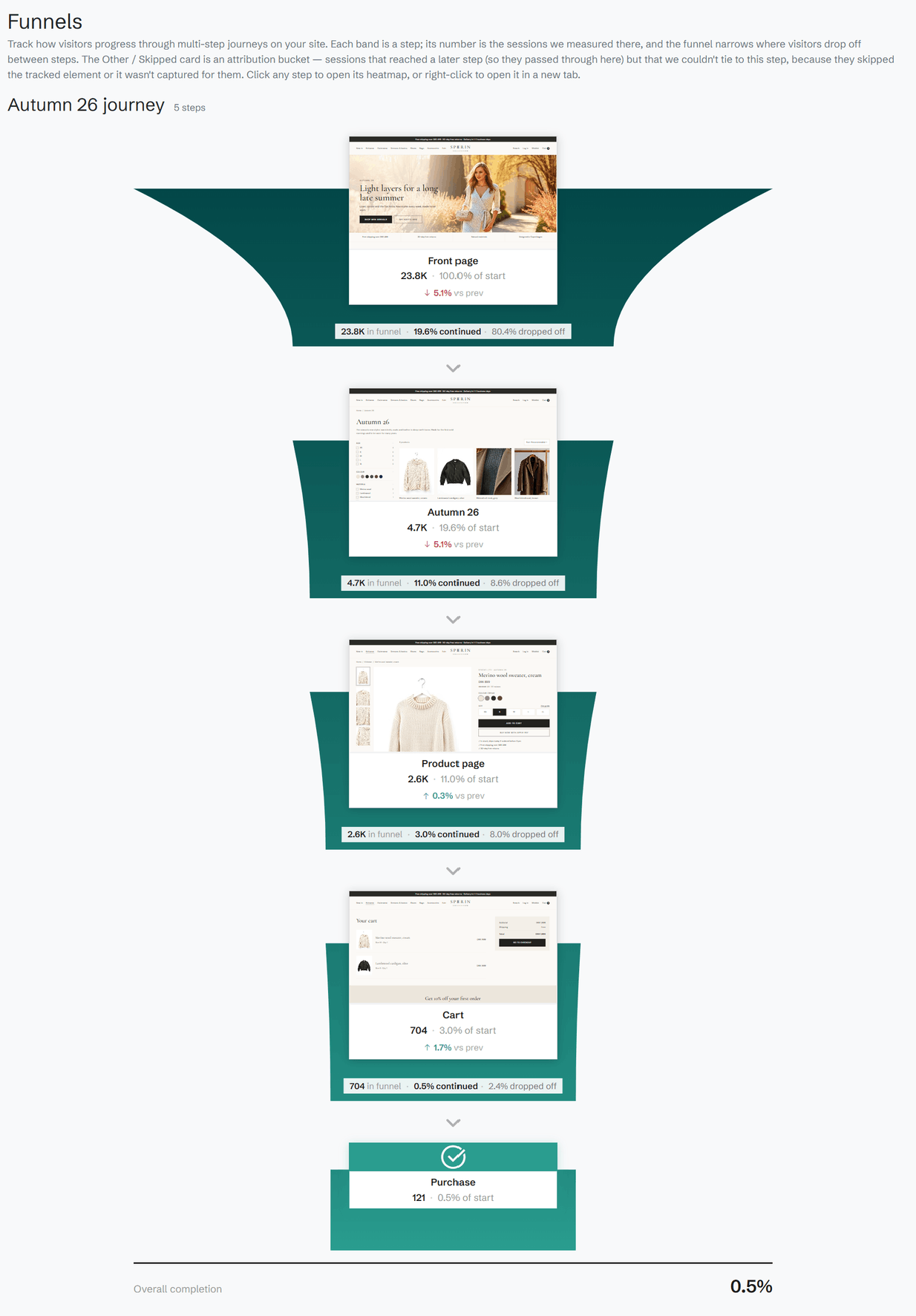
A funnel follows a journey on your site, such as product page to basket to checkout. For each step you see the sessions that reached it and the share of those who started, and between the steps the share who continued and the share who dropped off. Overall completion sums it up.
Against the period before
Every step is compared with the previous period, so a step that suddenly loses visitors stands out. Filter the funnel by date, traffic source and device.
From a step to its heatmap
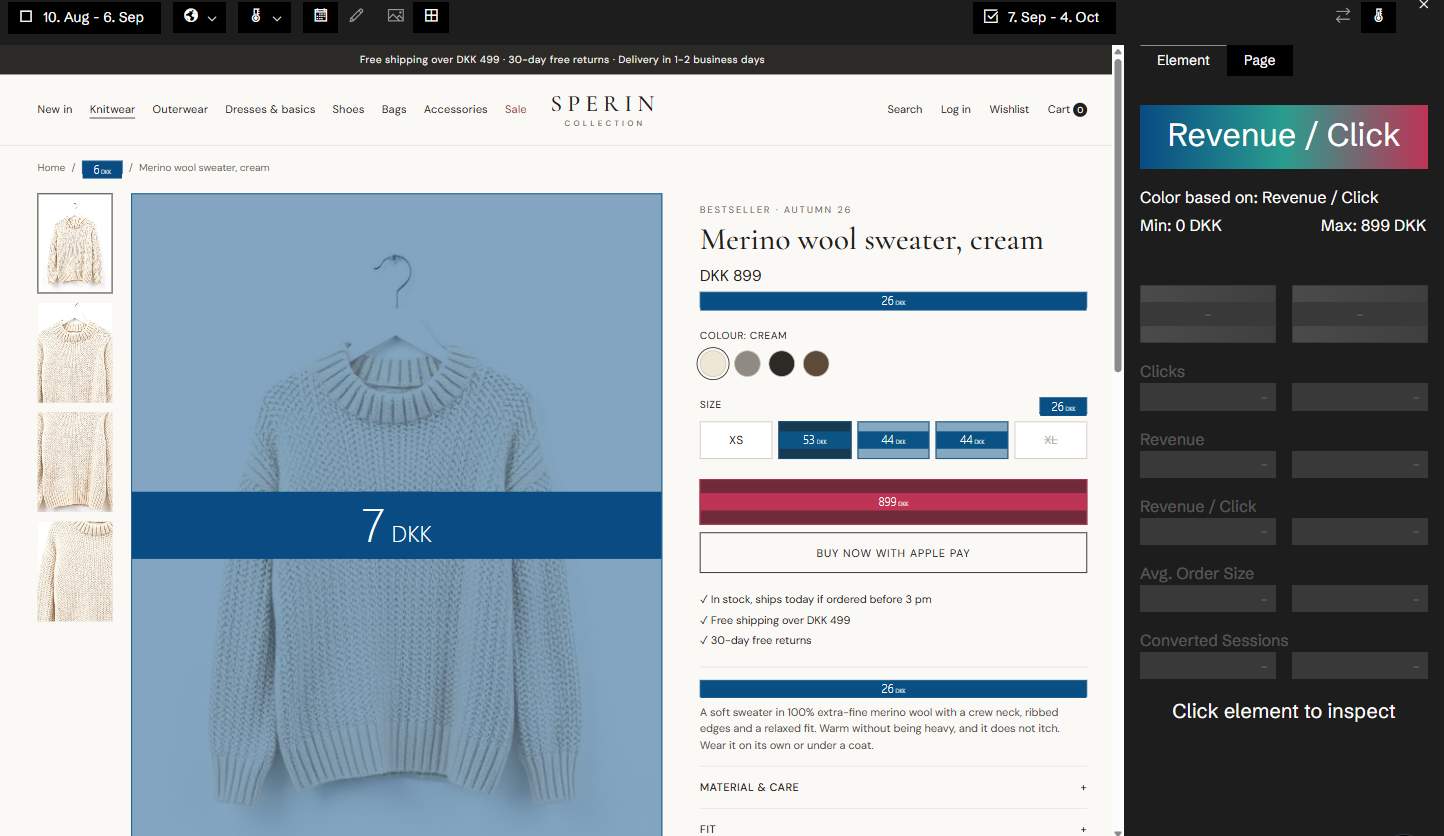
Click a step to open its page in the heatmap and see what visitors did there. Where a step has variants, each variant gets its share of the step.
Set up with Historian
Historian sets up the funnels for your site, step by step, for desktop, mobile or both.
Related features
All features →Page flow
For any page, where visitors came from and where they went next, with the numbers for each.
Heatmap
The most capable heatmaps in e-commerce. Every click is tied to the element that was clicked, the version of the page it was on, and the conversions, revenue and products that followed.
Devices
Desktop, mobile and tablet side by side: revenue, conversion and order size for each, against a benchmark.
Stop guessing why revenue dropped.
Book a demo and we'll show you what Historian finds on your own store.