Tags
Group your pages by what the pages themselves say, such as category, brand or badge, and see the revenue and conversion of each group against a benchmark.
Labels read from your own pages
A tag in Historian is a label taken from the page itself: the category a product sits in, its brand, a badge such as "New" or "Sale". A tag rule tells Historian which element on the page carries the label, and every capture reads it. Tags are grouped by dimension, so all brands sit together and all categories sit together.
There is nothing to tag by hand. When a product gets a new badge on the site, its tag follows.
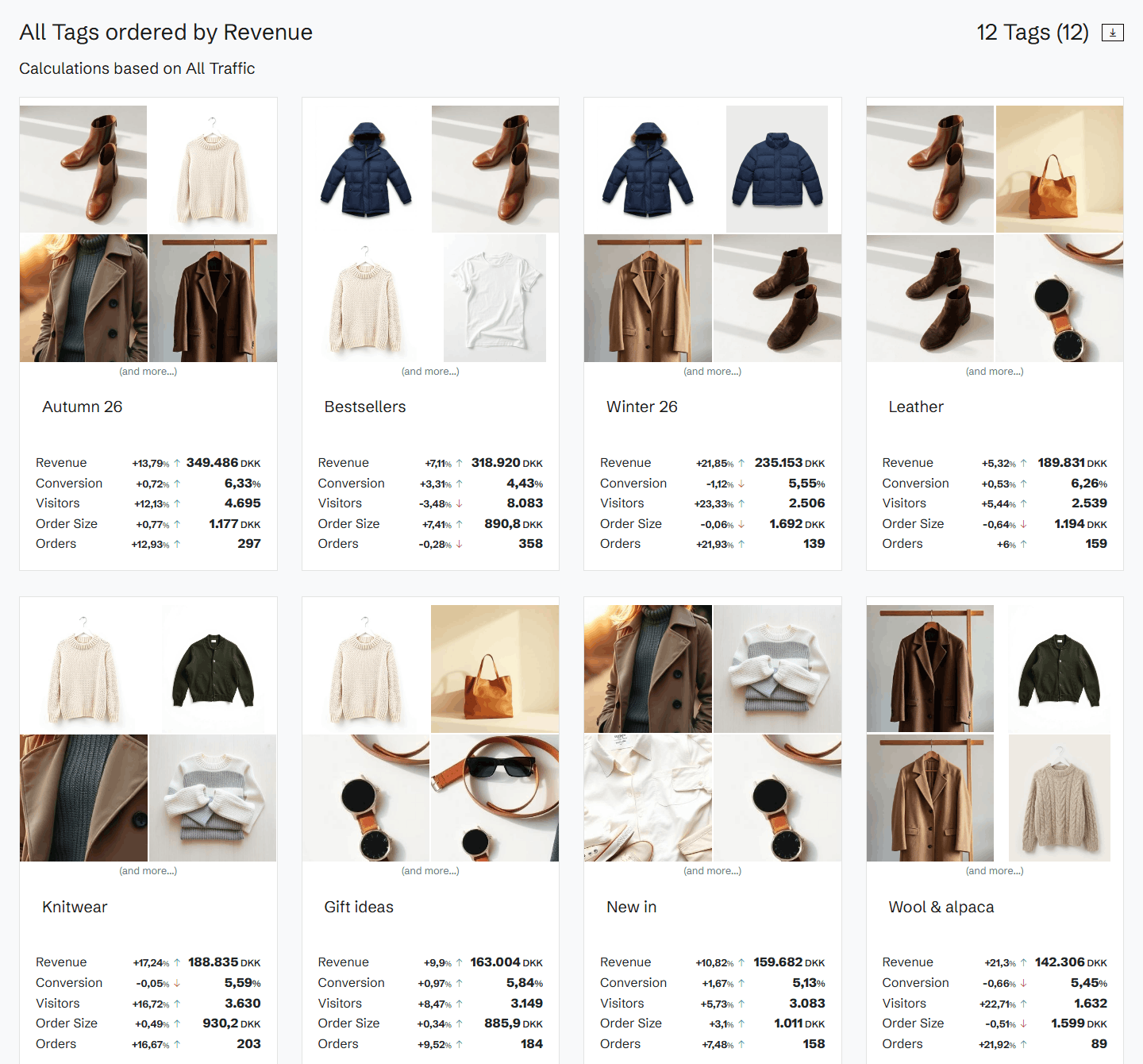
Every tag against its benchmark
For the pages carrying a tag, Historian shows revenue, revenue per session, conversion, sessions, orders and order size, each against a benchmark period. Follow a tag day by day or cumulatively, with the benchmark drawn next to it, and see at once whether a brand, a category or a badge is growing or slipping.
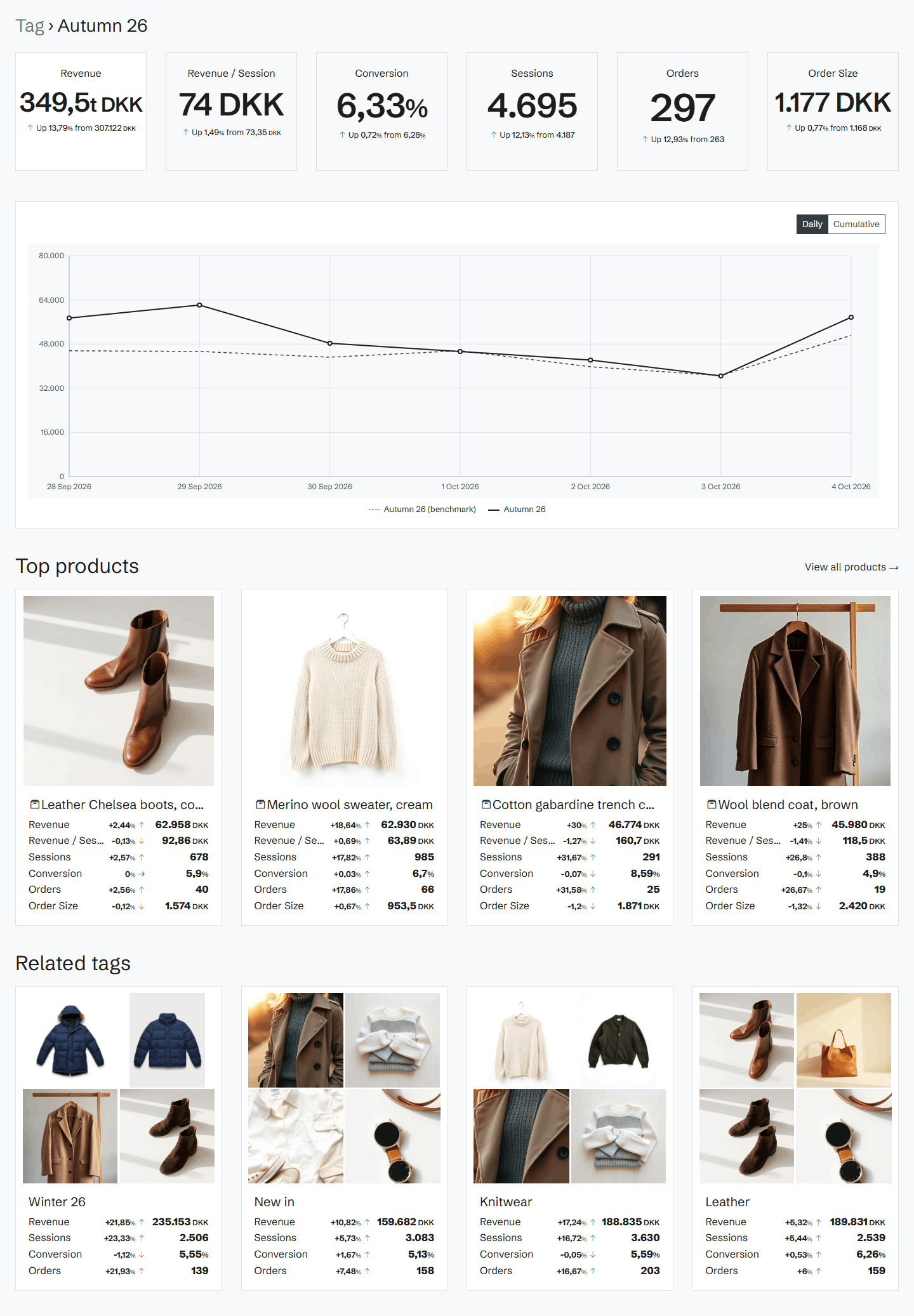
Top products and related tags
Each tag lists its top products by revenue, with their numbers, and its related tags: the other tags on the same pages. You see that a badge sells mostly in one category, or that one brand carries a category.
Browse by level
See all tags in one list, or drill down level by level through a dimension, from a category to its subcategories. Filter by a minimum of revenue, visitors or orders, and use tags as a filter on Pages, Products and Explain.
Related features
All features →Products
Revenue, quantity sold, visitors and orders for every product, against a benchmark, with each product's price and availability as it was captured.
Pages
Every page on your site with its revenue, conversion, visitors and orders against a benchmark, sorted by where the opportunity is biggest.
Explain
When a number moves, Explain breaks the movement down by products, traffic sources and devices, so you see what drove it.
Stop guessing why revenue dropped.
Book a demo and we'll show you what Historian finds on your own store.