Page flow
For any page, where visitors came from and where they went next, with the numbers for each.
Before and after a page
Page flow shows one page in the middle, the pages visitors came from on the left and the pages they went to next on the right. Each page carries its numbers, and the pages are ordered by the metric you choose.
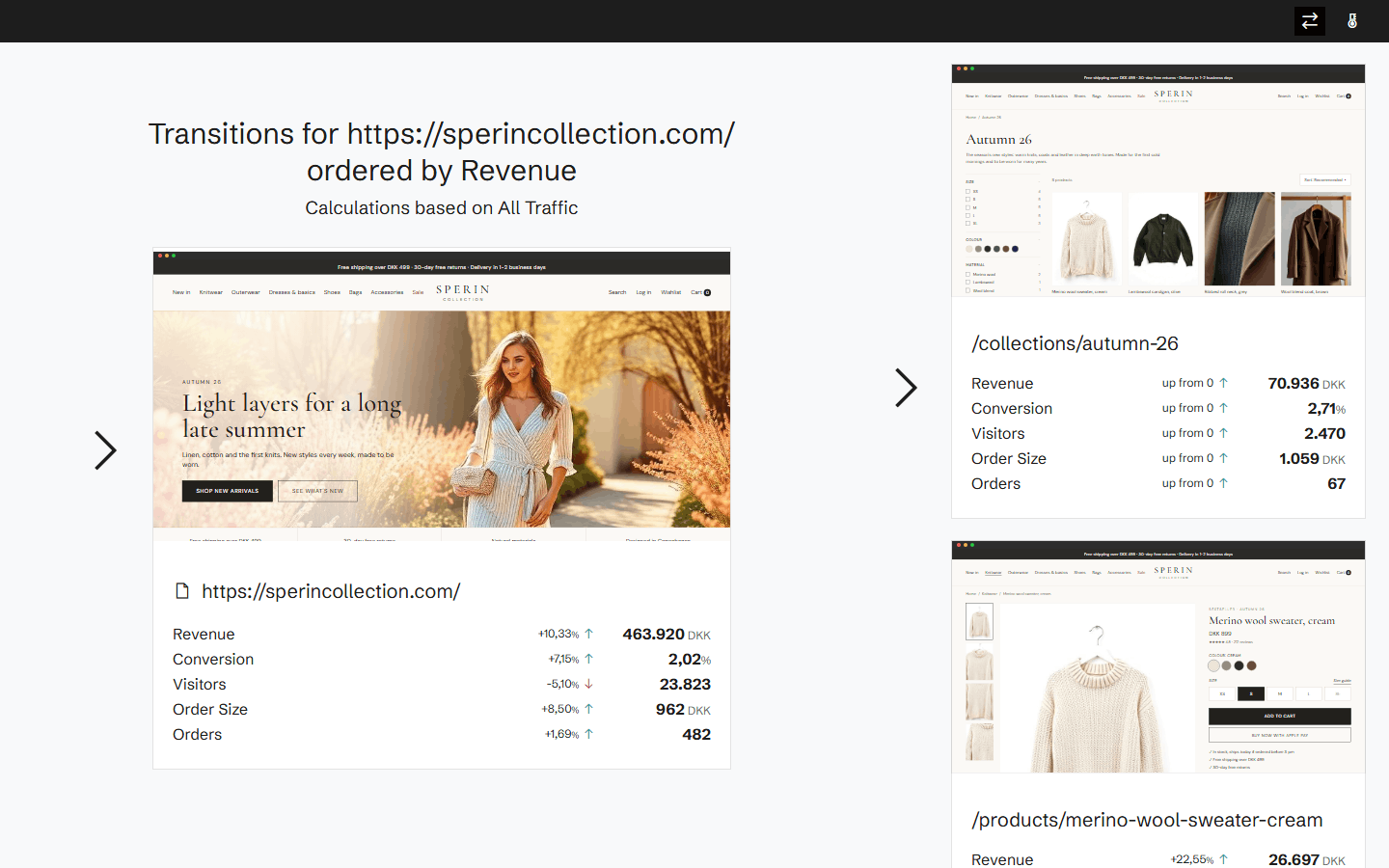
Follow the path
Click a page on either side and it moves to the middle, so you can follow visitors through the site one step at a time.
From the heatmap
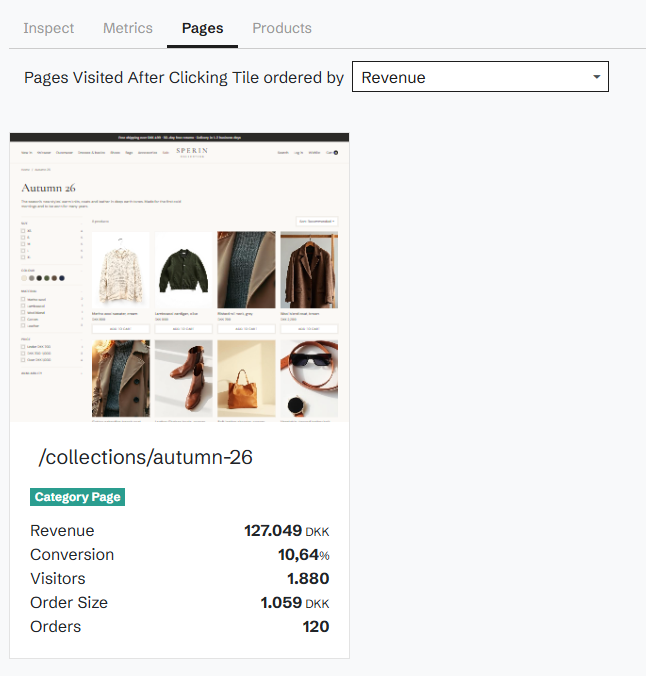
Page flow opens from the page's heatmap. For a single element, click transitions in the heatmap show where visitors went after clicking it.
Related features
All features →Click transitions
See which pages visitors went to after they clicked an element, and what those visits were worth.
Pages
Every page on your site with its revenue, conversion, visitors and orders against a benchmark, sorted by where the opportunity is biggest.
Funnels
Conversion at each step of your key journeys, from the first page to the order, with where visitors drop off.
Stop guessing why revenue dropped.
Book a demo and we'll show you what Historian finds on your own store.