Ads
Google Ads
Your Google Ads campaigns, ad groups, ads and keywords in Historian, measured against the revenue your site actually took.
Connect your account
Link your Google account, choose the ad account, and Historian shows what it found, including a check that auto-tagging is on. Historian only reads your data, and we recommend linking a read-only Google user.
Every level of the account
Campaigns, ad groups or the asset groups of Performance Max campaigns, ads and keywords, each with its overview, its numbers and its change history. For each ad you see how it appears, its own text, the product groups it runs on and the extensions it runs with.
What the clicks did on your site
Follow the traffic from Google Ads onto your site: the landing pages, the pages and the products it led to, with your own revenue, conversion and ROAS.
More in Ads
Ads overview →Meta Ads
Your Meta Ads campaigns, ad sets and ads in Historian, measured against the revenue your site actually took.
Microsoft Advertising Coming soon
Your Microsoft Advertising (Bing) campaigns next to Google and Meta.
Ad change tracking
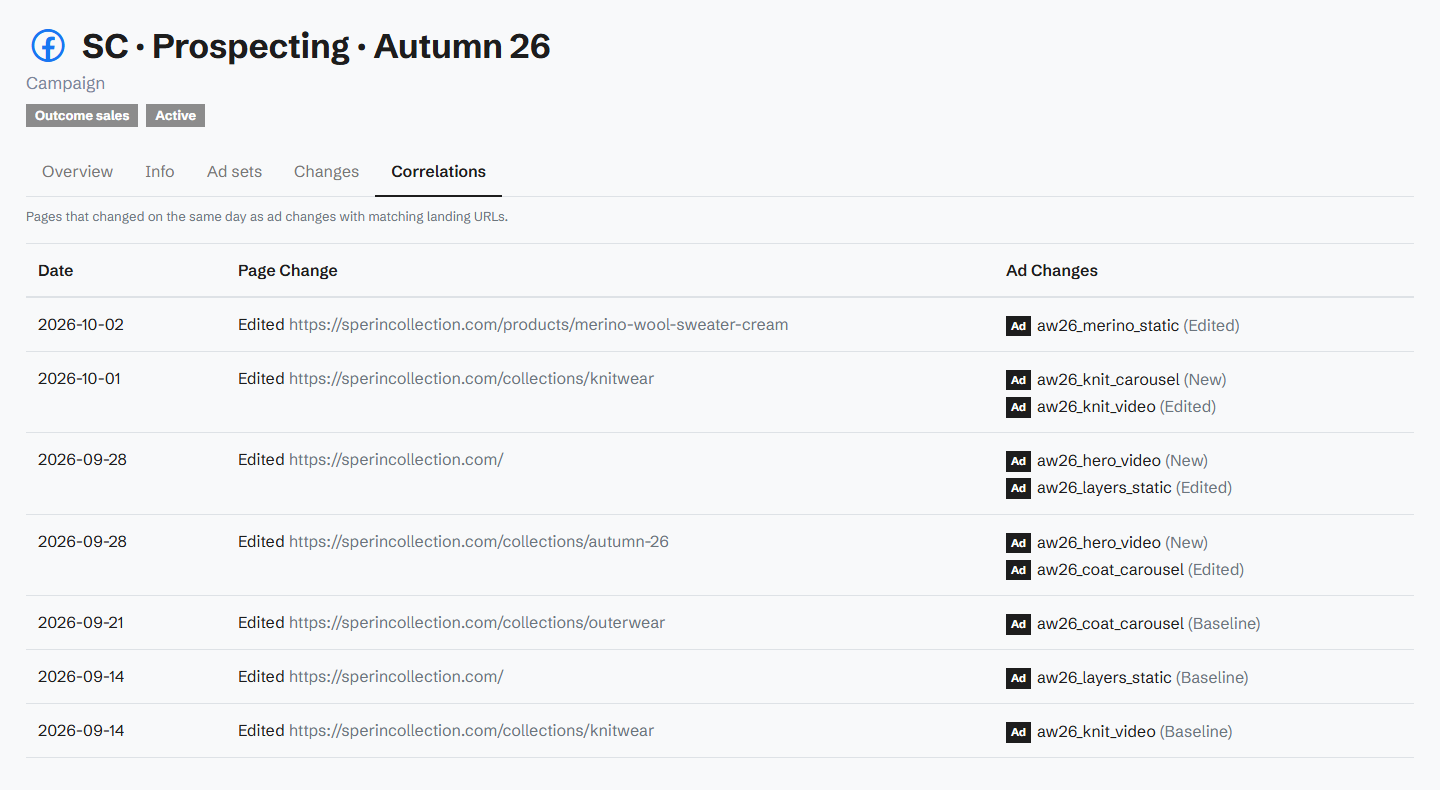
A record of every change made to your campaigns, ad groups, ads and keywords, set against the changes on your site.
Stop guessing why revenue dropped.
Book a demo and we'll show you what Historian finds on your own store.