Solutions
For performance marketing
See what happens on the site after the click, and which change in the ad account, or on the landing page, moved the numbers.
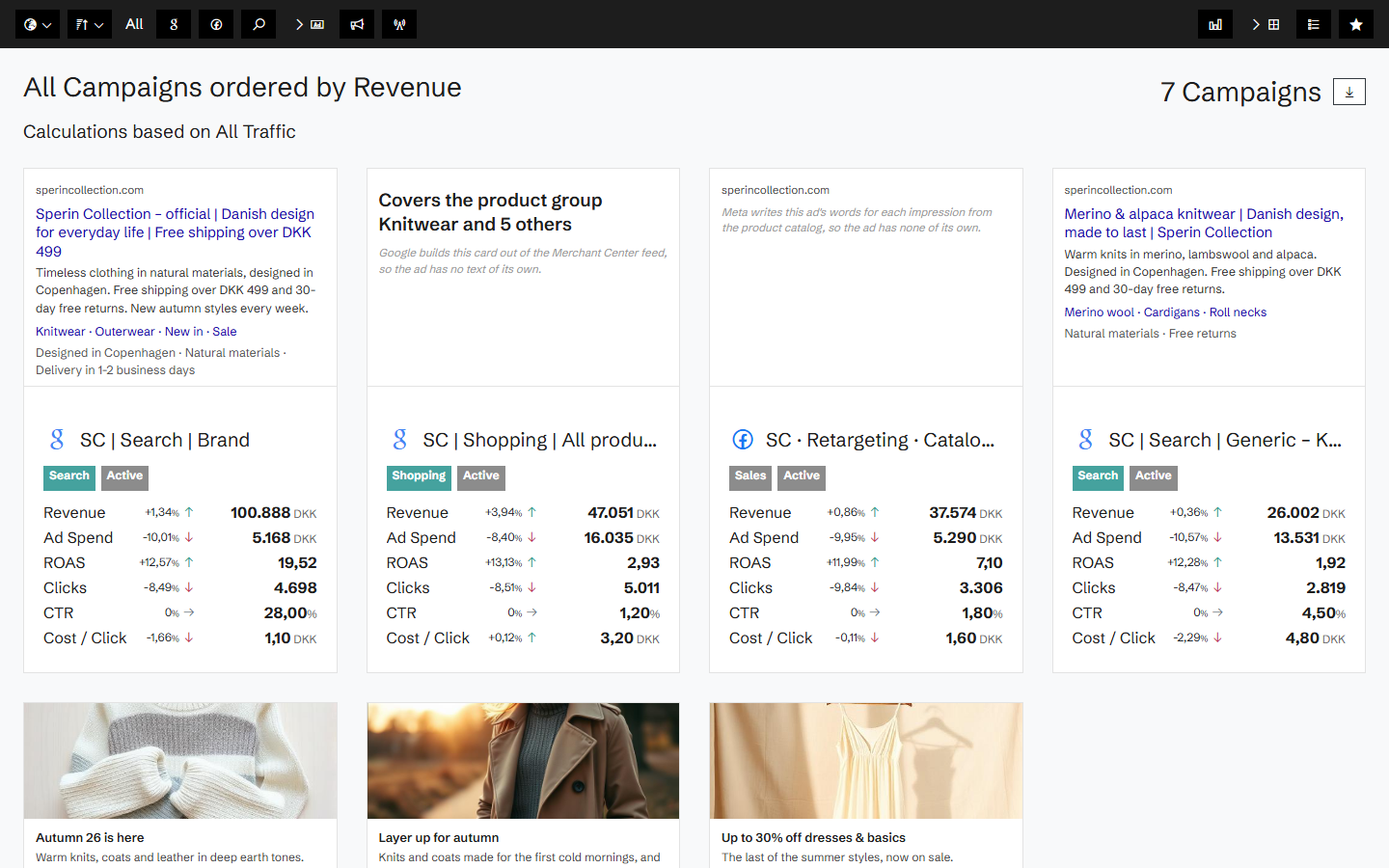
Your campaigns, and every change to them
Connect Google Ads and Meta Ads, and Historian keeps a daily snapshot of your campaigns, ad groups and ads: spend, clicks, conversions and conversion value, and every change made to them. When results move, you can see what was changed the day before.
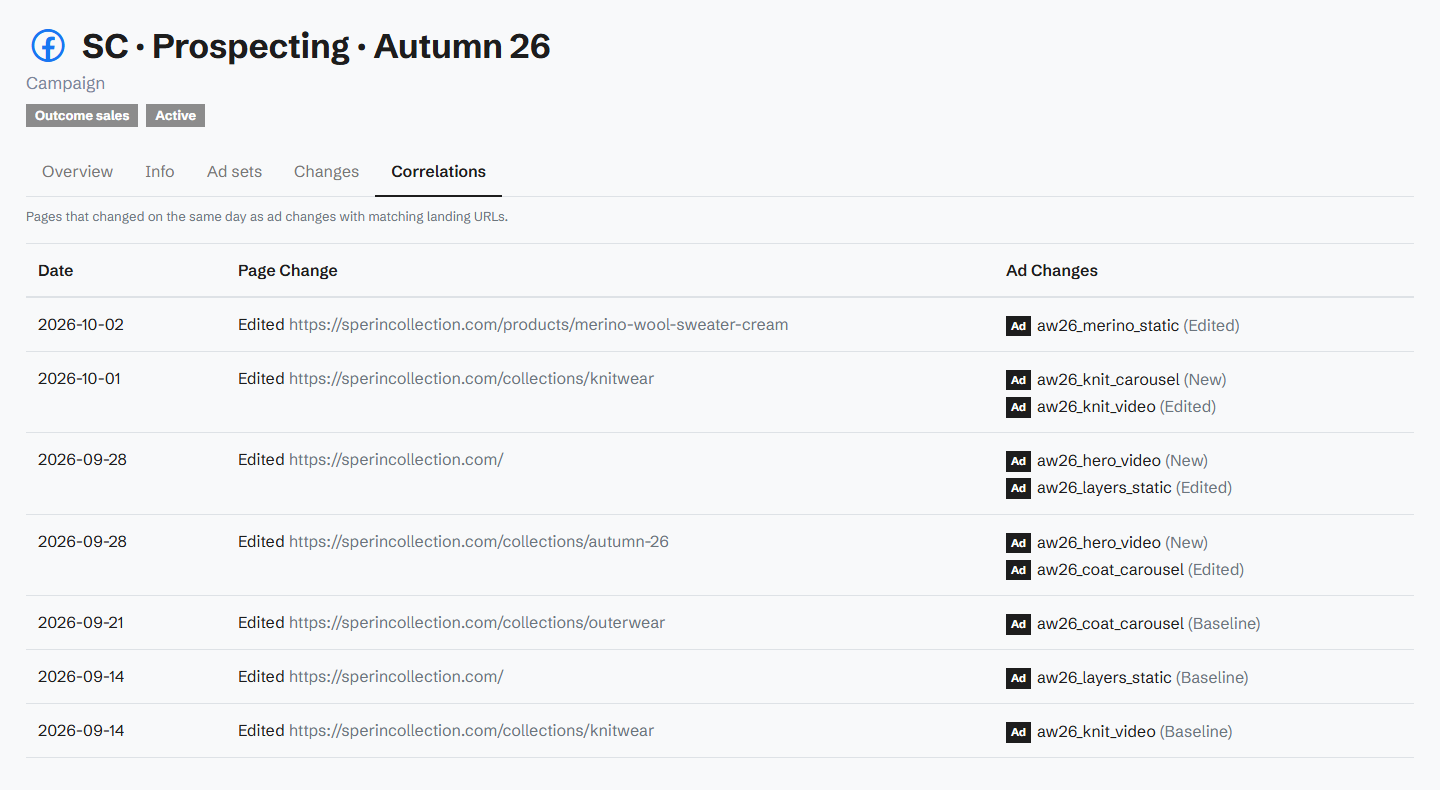
The landing page is part of the campaign
Most ad tools stop at the click. Historian also captures the landing page every day, so an ad change and a page change on the same day show up together. When a campaign drops, you know whether it was the bid, the creative or the page.
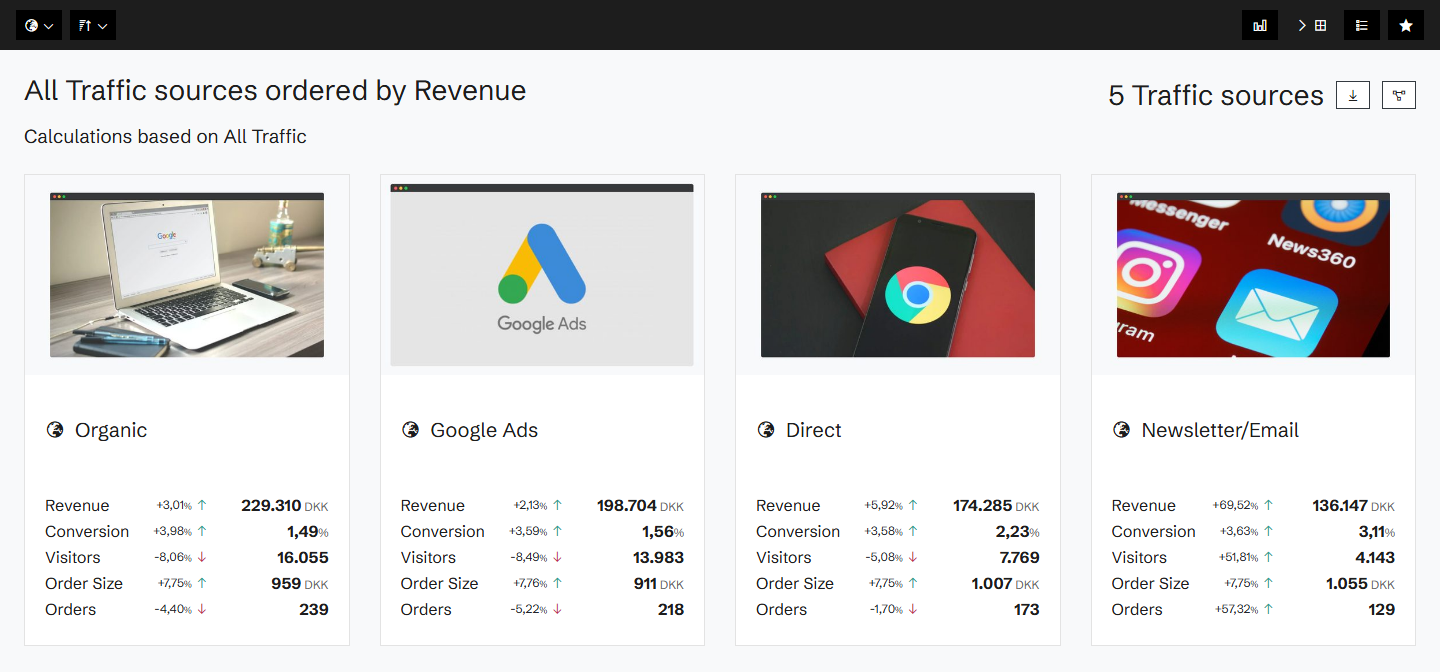
Traffic sources, side by side
See sessions, conversion and revenue by traffic source and device, and the heatmap split by paid and organic visitors. The Traffic Mix Strategist explains each week's shifts, and the Landing Page Revenue Gap Agent finds the pages that waste paid traffic.
A monthly statement of the ad account
The Ads Agency Report sums up the month: what changed on the ad account, whether it moved the numbers, and what Historian cannot see.
Related agents
All agents →Ads Agency Report
Monthly account statement of what changed on the ad account, whether it moved the numbers, and what we cannot see.
Traffic Mix Strategist
Diagnoses over-reliance on any single channel and recommends diversification
Landing Page Revenue Gap Agent
Benchmarks every landing page and surfaces the ones dragging down entry conversion
Organic Traffic Revenue Maximizer
Closes the conversion gap between organic landing pages and paid equivalents
High-Traffic Revenue Leaker
Identifies popular pages that attract traffic but fail to monetise it
Related features
All features →Ads
Your ad campaigns next to what happened on your site: spend, ROAS on your own revenue, and every change made to the campaigns.
Google Ads
Your Google Ads campaigns, ad groups, ads and keywords in Historian, measured against the revenue your site actually took.
Meta Ads
Your Meta Ads campaigns, ad sets and ads in Historian, measured against the revenue your site actually took.
Ad change tracking
A record of every change made to your campaigns, ad groups, ads and keywords, set against the changes on your site.
Traffic Sources
See which channels actually make money, not just which ones send traffic.
Traffic segments
Filter the heatmap by where the visitors came from, and see how each channel uses the page.
Stop guessing why revenue dropped.
Book a demo and we'll show you what Historian finds on your own store.